User profile
Overview
The user profile menu can be accessed from the top right corner.
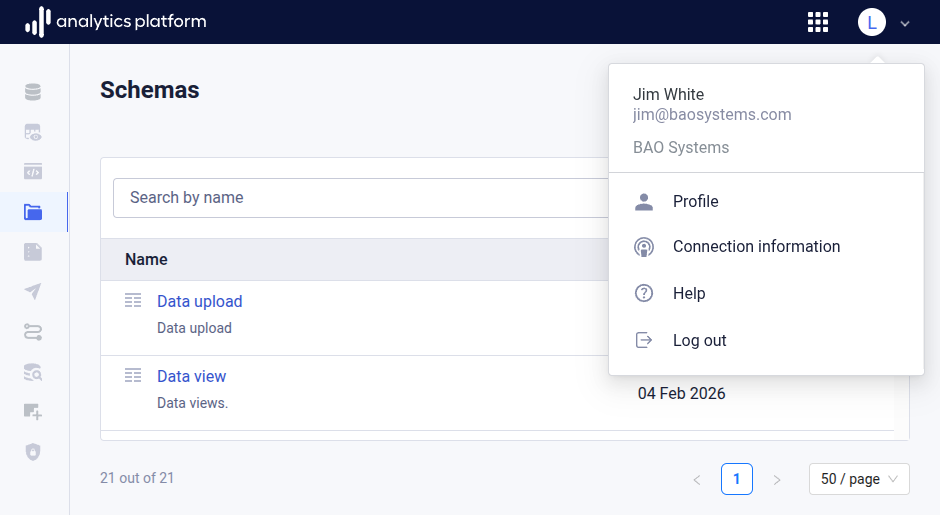
This section describes the available user profile operations.
Profile
When clicking the profile item, the user is directed to the user profile overview.
The user profile overview offers the following operations.
- Details: View personal details and permissions.
- MFA: Enable and disable multi-factor authentication (MFA).
- Password: Change the user password.
Connection information
The connection information page provides you with information about the data warehouse integrated in AP. This information is useful when connecting desktop applications, like Power BI, Tableau and other BI tools, or cloud services, like AWS and Azure.
When connecting directly to the AP data warehouse, it is typically required to open a port in the firewall. Make sure to follow best security practices when allowing direct connections.
If your AP user account has permission for accessing the data warehouse, this means that a corresponding user account exists in the data warehouse. You can authenticate to the data warehouse using the same password as you use for logging in to AP.
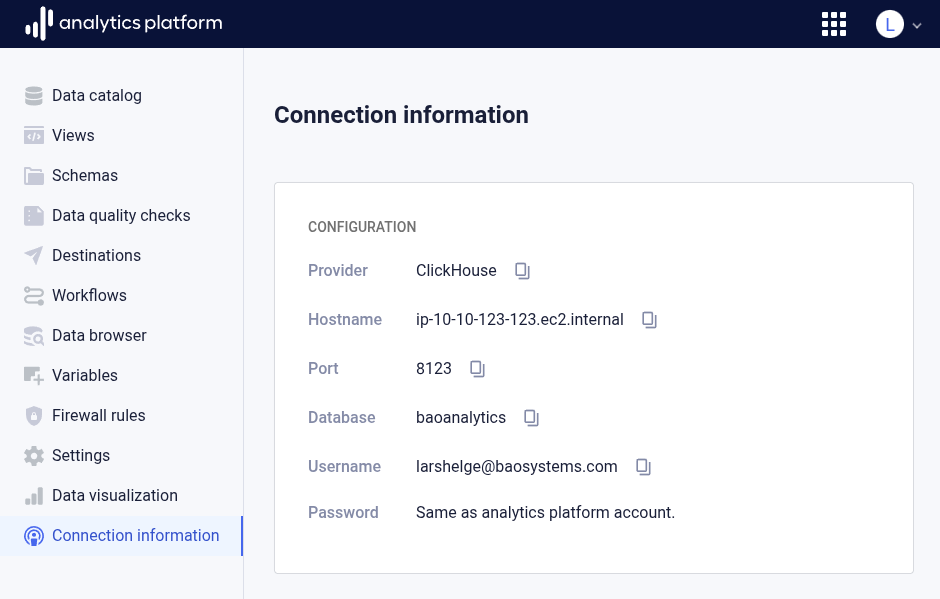
The connection information page offers the following information.
| Field | Description |
|---|---|
| Provider | Data warehouse management system |
| Hostname | Hostname of data warehouse |
| Port | Port of data warehouse |
| Database | Database name |
| Username | Database username |
| Password | Use the AP user account password |
Help
When clicking the help item, the user is directed to this user guide. The user guide is available at the following location.
https://docs.ap.baosystems.com/user/overview/
Log out
When clicking the log out item, the user is logged out of the application.