Apache Superset
Overview
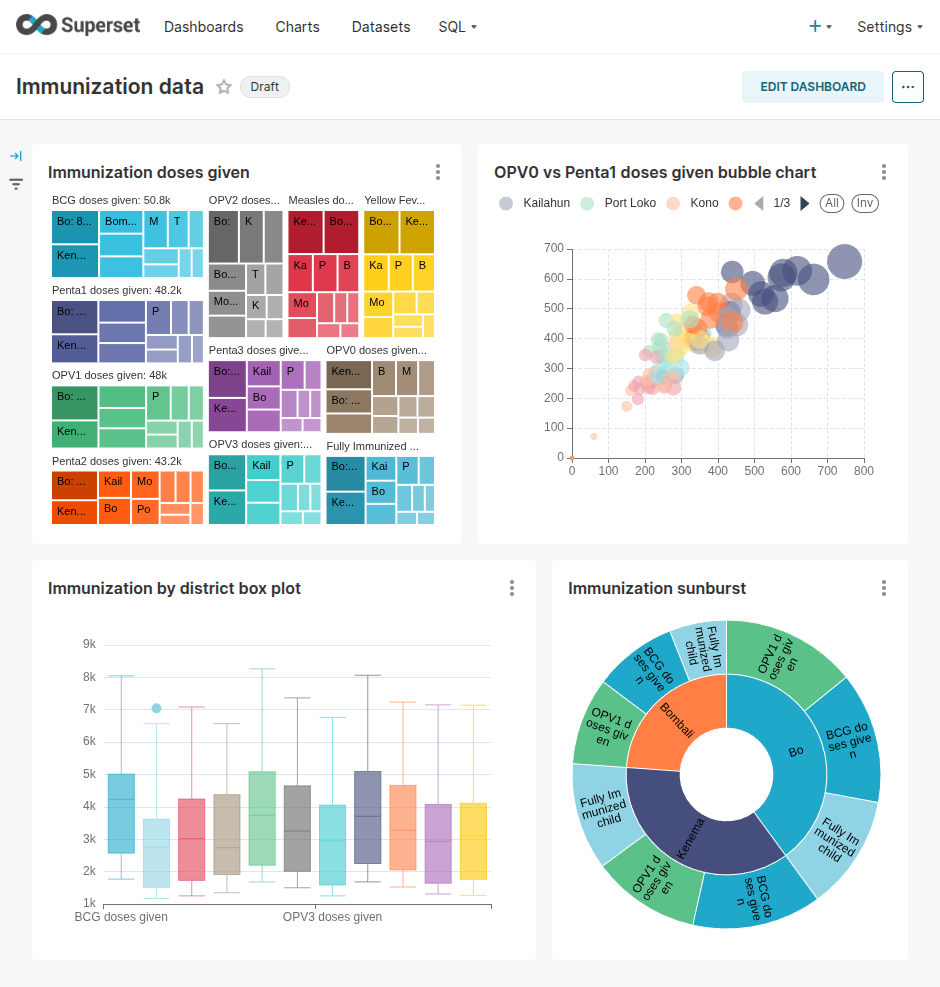
Apache Superset is an open-source data exploration and visualization platform. It provides a chart builder, SQL tools, dashboards, filters, and a broad library of visualization types.
AP supports connections from modern BI tools and provides a specific integration with Superset.
- Single Sign-On: AP and Superset can participate in Single Sign-On (SSO), allowing a user who has signed in to AP to access Superset without signing in again.
- Datasets: When a view is created in AP, a corresponding Superset dataset can be created automatically, depending on the configured integration.
- Integrated dashboards: Superset dashboards can be displayed on the AP Dashboards page.
- Embedded dashboards: Superset dashboards can be embedded in DHIS2 through the Super BI web app.
Superset datasets
A Superset dataset represents a data warehouse table or view that can be used to create charts. AP views are useful as Superset datasets because they can provide cleaned, joined, renamed, or aggregated data for a defined analytical purpose.
When working with a dataset in Superset, authorized dashboard builders can configure:
- Columns used as dimensions.
- Date and time columns.
- Reusable metrics such as counts, sums, rates, and percentages.
- Labels and descriptions shown to dashboard authors.
Dataset preparation and access should be agreed with the AP data owner before a dataset is used for production reporting.
Create charts and dashboards
Dashboard authors use Superset to create charts and combine them into dashboards. The exact authoring actions are performed in Superset rather than in the AP Dashboards page.
Refer to the official Apache Superset documentation for detailed instructions on creating datasets, charts, filters, and dashboards.
View dashboards in AP
AP can display published Superset dashboards in its own interface. Click Dashboards in the left-side menu, then select the dashboard to view. See Dashboards for the AP viewing procedure.
Embed dashboards in DHIS2
Use Super BI to configure a Superset dashboard for use inside DHIS2. Super BI uses a Superset embed identifier and supports DHIS2 sharing. It can also restrict dashboard data by organization-unit hierarchy when the underlying dataset meets the required data-model conditions.
Access and troubleshooting
Access may be controlled separately in AP, the data warehouse, Superset, and DHIS2 or Super BI. If a dashboard is unavailable or does not show the expected data, confirm:
- The upstream AP pipeline and view refreshed successfully.
- The Superset dataset points to the intended table or view.
- The dashboard is published and available for embedding where required.
- The user has access in each system used to reach the dashboard.
- Dashboard filters and data restrictions match the intended audience.
For an end-to-end implementation workflow, see Set up analytics dashboards.