Sysadmin
Welcome to the installation guide for BAO Analytics Platform (AP from now on). This document is intended for system administrators who will be setting up and maintaining the environment required to run AP.
AP requires a Linux operating system. An Ubuntu LTS version is the recommended Linux distribution. The installation guide assumes Ubuntu Linux as the operating system and the availability of the systemd process and service manager.
AP supports a variety of public cloud providers, data storage and data warehouses. It can be deployed in a public cloud environment, and on Linux-based, on-premise server environments.
Data platform
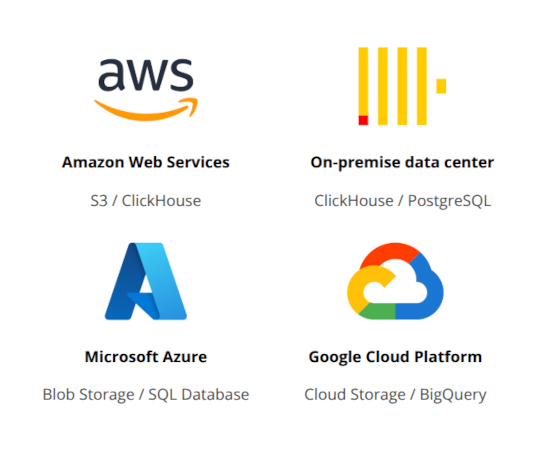
AP uses a data storage provider to ingest and store raw data files from multiple sources in its native format. The following data infrastructure environments are supported. AP can be fully installed and operated in on-premise environments as well as in leading public cloud environments.
| Infrastructure | Data storage | Data warehouse |
|---|---|---|
| Amazon Web Services (AWS) | Amazon S3 | ClickHouse |
| Amazon Web Services (AWS) | Amazon S3 | Amazon Redshift |
| Amazon Web Services (AWS) | Amazon S3 | Snowflake |
| Microsoft Azure | Azure Blob Storage | Snowflake |
| Microsoft Azure | Azure Blob Storage | SQL Database |
| Microsoft Azure | Azure Blob Storage | Synapse |
| Google Cloud Platform (GCP) | Google Cloud Storage | BigQuery |
| On-premise | Local filesystem | ClickHouse |
| On-premise | Local filesystem | PostgreSQL |
| On-premise | Local filesystem | SQL Server |
Data storage
AP supports and integrates with the following providers for data storage.
- Amazon S3
- Azure Blob Storage
- Google Cloud Storage
- Local filesystem
Amazon S3 and Azure Blob Storage are scalable, highly durable and cost-effective public cloud storage service that allows users to store and retrieve any amount of data from anywhere on the web. These services integrate well with the vast ecosystem of data services in the AWS and Azure public clouds respectively.
Local filesystem refers to using a regular server with attached disk storage. This approach leverages the file system of the server and data files are stored in regular directories. As high-speed reading is not a priority, HHDs (Hard Disk Drives) is a cost-effective and feasible option, as opposed to more expensive and faster SSDs (Sold State Drives).
Data warehouses
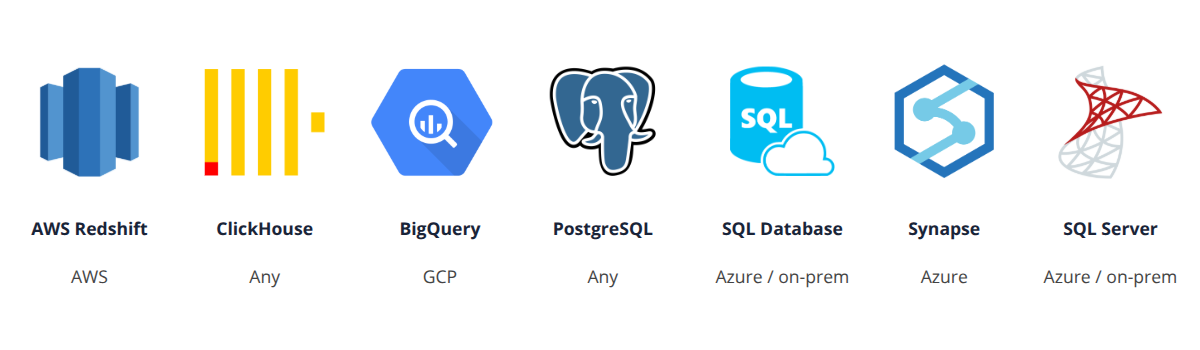
AP supports and integrates with the following data warehouses.
- ClickHouse
- Amazon Redshift
- Azure SQL Database
- Azure Synapse
- Google BigQuery
- Microsoft SQL Server
- PostgreSQL
- Snowflake
In on-premise environments, ClickHouse is the preferred data warehouse due to its open source license, well-documented server installation and high-perforance data ingestion and data querying.
Middleware
Below is a summary of the necessary middleware components that your system needs to ensure optimal performance and compatibility. AP is built and deployed on open source licensed middleware only. When using ClickHouse or PostgreSQL as data warehouse then no proprietary middleware technology is required.
- OpenJDK 17: A robust and widely-used open-source implementation of the Java Platform which provides the runtime environment necessary for running Java applications. The AP backend microservices are written in Java 17.
- PostgreSQL: Version 14 or later. A powerful, open-source relational database management system that offers advanced features such as complex queries, foreign keys, triggers, and up-to-date compliance with SQL standards. The AP backend microservices use PostgreSQL databases for persistence of metadata and operational data.
- nginx: A high-performance, open-source HTTP server and reverse proxy that is essential for handling web traffic, load balancing, and serving static content efficiently. AP uses nginx for secure routing of HTTP request.
- Redis: An in-memory, open-source key-value store that provides lightning-fast data retrieval, making it ideal for caching and supporting real-time analytics, session management, and message brokering. AP uses redis for caching of expensive operations, such as creating data table profiles and data previews.
- Apache Pulsar: An open-source distributed messaging and streaming platform that enables reliable, scalable, and low-latency data streaming and message queueing, suitable for event-driven applications. AP uses Apache Pulsar for asynchronous event communication between microservices.
- ClickHouse: A high-performance, open-source columnar database management system designed for online analytical processing (OLAP) and real-time data analytics at scale. AP utilizes ClickHouse as the preferred data warehouse for analytical data processing and querying.
The AP software architecture follows the microservice architectural pattern, where the platform is made up of several microservices, each with their own key responsilibities.
- API Gateway: The API gateway service is responsible for routing API requests to the appropriate backend service. It manages authentication and user sessions.
- Identity: The identity service is responsible for security, authentication, authorization, and for user and client management.
- Data pipeline: The data pipeline service is the main component of AP and is responsible for data catalog, data pipelines, data quality checks, views, destinations and workflows.
- Web UI: The UI is composed of two web apps written in React and Javascript: The analytics platform web app and the user management web app.
AP is extended by several optional microservices.
- DHIS2 Superset gateway: Authentication, dashboard management and gateway between DHIS2 and Apache Superset.
- DHIS2 text query: Natural text query translation to DHIS2 API communication.
- Pyserve: Python code execution and formatting.
AP is deployed as JAR files, managed by the systemd system and process manager.
Operating system
AP runs on Linux-based open source licensed operating system. The recommended Linux distribution is Ubuntu. Using the the latest LTS version is recommended.
Deployment
The following options are available for automated deployment of AP.
- Ansible: Deployment with Ansible playbook and Runbook automation.
- Docker Compose: Container-based deployment with Docker containers and Docker Compose.
The following deployment environments are supported for AP.
- On-premise servers
- Amazon Web Services (AWS)
- Microsoft Azure
- Google Cloud Platform (GCP)
AP can be deployed both on virtual machines and physical servers, also referred to as bare metal. The on-premise support means that AP can be deployed and hosted in government or private local data centers in a country, without a dependency on cloud technology. The multi-cloud support means that AP can be deployed in any of the major public cloud provider environments, allowing organizations to utilize their existing cloud subscriptions. AP can also be deployed in a hybrid model, for example where the AP microservices are deployed in the cloud, while the data store and data warehouse are deployed on on-premise servers.